











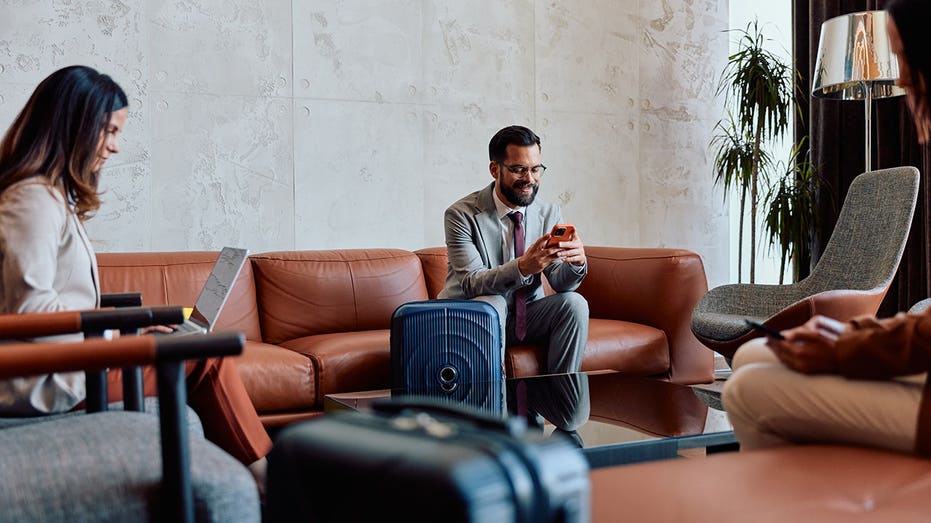





















You step off a long flight, find your hotel, and the first thing you look for is the Wi-Fi password. You connect, clear your inbox, log into your streaming account to unwind and maybe check your bank balance before dinner. It all feels harmless because we all do it.
But that one travel habit can quietly put your passwords, accounts and personal information at risk.
Public Wi-Fi is convenient for you. It can also be convenient for the person sitting three tables over with a laptop and bad intentions.
THE TEMPTATIONS AND RISKS OF FREE WI-FI
Sign up for my FREE CyberGuy Report
Most public networks send your data through the air on a network you do not control. When a network is open, anyone connected to it may be able to use simple tools to watch traffic patterns, spot unencrypted activity or try to redirect you to fake login pages. Security researchers call this packet sniffing. Modern HTTPS protects most usernames and passwords, but not every app, site or connection handles security perfectly. That is where public Wi-Fi can still get risky fast.
Then there are the fake networks. A hacker sets up a hotspot named something friendly like "Airport_Free_Wi-Fi" or "Hotel Guest," and travelers connect without a second thought. Once you're on their network, everything you do passes through their hands first. This trick is common enough that it has a name: the evil twin attack.
APPLE FIXES PASSWORDS APP VULNERABILITY ENABLING WI-FI ATTACKS
Here's the part most people miss. Stealing your password is not the only goal. When you log into a service, your device gets a small file called a session token that keeps you signed in. If an attacker can trick you onto a fake network, push you toward a fake login page or exploit a poorly protected connection, that token or login can become a target. That is how a quick hotel Wi-Fi session can turn into someone hijacking an account, locking you out, racking up charges or selling your access on the side.
Your phone, your laptop, your email, your banking app, your streaming logins. On an unprotected network, all of it is fair game.
The good news is that protecting yourself does not require you to become a security expert or swear off public Wi-Fi forever. You just need a Virtual Private Network, or VPN.
ROUTER VPNS VS DEVICE VPNS: WHICH PRIVACY SOLUTION IS BEST FOR YOU?
A VPN builds an encrypted tunnel between your device and the Internet. Everything you send and receive gets scrambled before it leaves your phone or laptop, so even if someone is watching the network, all they see is meaningless noise. Your passwords, your messages, your account logins and your banking details stay locked up tight.
The catch with a lot of VPNs is that people either forget to turn them on or find them clunky enough to give up. The best VPN for travel should be easy to use, fast enough for streaming and video calls, strong on privacy and able to protect your devices with one tap.
My No. 1 pick checks those boxes without making you think about it. It uses strong encryption, has a no-logs policy, includes a kill switch if the VPN connection drops and runs on iPhone, Android, Windows, Mac and routers.
MALICIOUS APPS POSING AS VPNS CAN TURN YOUR DEVICE INTO A TOOL FOR CYBERATTACKS
For the best VPN software, see my expert review of the best VPNs for browsing the web privately on your Windows, Mac, Android & iOS devices at Cyberguy.com
A VPN does the bulk of the work, but these quick moves close the remaining gaps.
Stop your phone from automatically joining Wi-Fi networks you do not fully trust.
5 PHONE SETTINGS TO CHANGE RIGHT NOW FOR A SAFER SMARTPHONE
On iPhone: go to Settings > Wi-Fi > Ask to Join Networks and choose Ask or Notify. You can also tap the info icon next to a saved network and turn off Auto-Join.
On Samsung: go to Settings > Connections > Wi-Fi, tap the gear icon next to a saved network and turn off Auto reconnect.
Before joining a hotel, airport or café Wi-Fi, ask the staff for the exact network name. Fake "free Wi-Fi" networks often use names that look official enough to fool tired travelers.
Even if a password leaks, 2FA gives an attacker another wall to get past before they can break into your account.
Better still, use a password manager to create and store super-secure credentials that are unique for every site.
When you can, handle banking, shopping and other sensitive logins on cellular data, your phone's hotspot, your home network or a trusted VPN.
The trip is supposed to be the memorable part, not the security headache you deal with after you get home. The travel mistake is treating free Wi-Fi as safe Wi-Fi. Free Wi-Fi can be risky, and the people who exploit it are counting on you not to notice. Flip the script with a trusted VPN, build the one-tap habit, and you close one of the easiest doors hackers use against travelers.
Do you turn on a VPN the moment you connect to public Wi-Fi, or only when you remember? Let us know by writing to us at Cyberguy.com
Sign up for my FREE CyberGuy Report
Copyright 2026 CyberGuy.com. All rights reserved.
The post Travel mistake puts phone, laptop and streaming accounts at risk appeared first on FOX News